


How to Clear Cache and Cookies in Microsoft Edge (Windows)
This document explains how to clear the cache and cookies in Microsoft Edge.
- Select the Hub icon (three horizontal lines at top bar) and then click the History icon
NOTE: You can also access this menu by holding Ctrl + Shift + Delete. By using this shortcut you may skip down to step 3.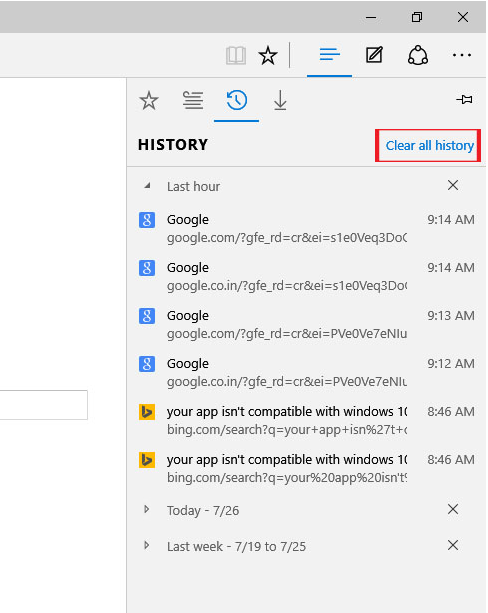
- Click "Clear all history".
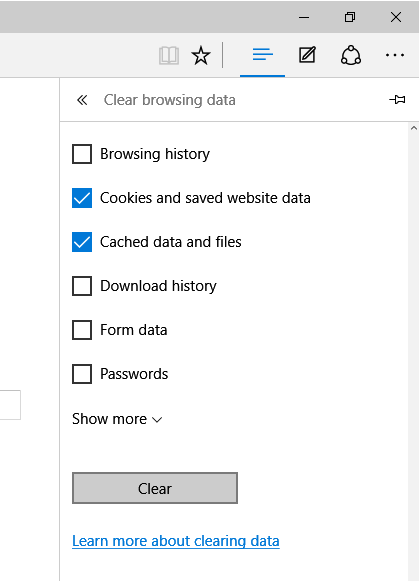
- Select "Cookies and saved website data" and "Cached data and files". After the two are marked click Clear.
- Select the Hub icon (three horizontal lines at top bar) and then click the History icon